
Features
Everything in Tatva ERP, and nothing we haven’t built.
This page lists what the software does today. Where something is not there yet, such as e-invoicing and e-way bills, we say so in the FAQ rather than here.
01Billing
Every voucher a trading business needs, built for the keyboard.
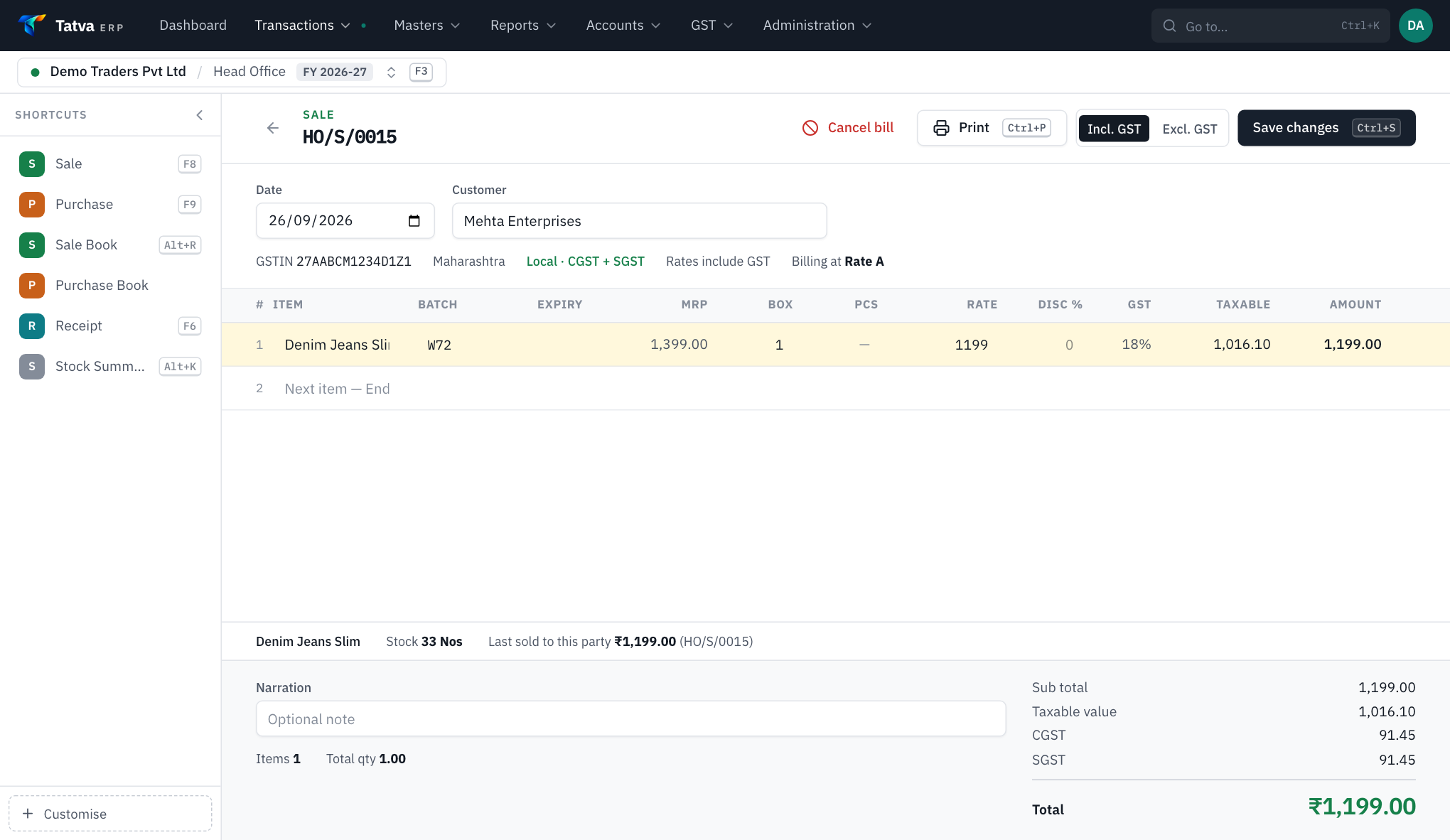
- Sale and purchase
- F8 and F9 from anywhere. Party, items, batch and rates in one grid; Ctrl+S saves.
- Returns
- Sale and purchase returns against the original bill, as credit and debit notes.
- Quotations and challans
- Quotations, sale challans and purchase challans (GRN) that become bills without retyping.
- Bill series
- Separate series such as cash memo or credit memo, per branch.
- Split payments
- Cash, UPI and card on one bill; freight and other charges, bill discount, round-off.
- Hold a bill
- Ctrl+H parks a bill to serve the next customer, and brings it back.
- Barcode billing
- Item, code or batch barcode; the same scan again adds quantity.
- Phone as a scanner
- Pair any phone by QR: it scans EAN, UPC, Code 128 and QR into the open bill.
- Print designs
- Classic, Modern, Elegant, Bold, Brand, Estimate and Cash memo; full or half page; logo, signature and UPI QR.
- Below-cost warning
- The counter is told when a rate is under the item's real cost.
02AI & automation
Automation where it removes typing, with a person on every decision.
TAX INVOICE
Shree Pharma Distributors
GSTIN 23ABCDE1234F1Z5 · Bill SPD/2291
Phone photo or PDF
→ purchase lines
Read by document AI
Matched to your items| Item | Batch | Exp | Qty | Free | Rate | GST |
|---|---|---|---|---|---|---|
| Paracetamol 650 Tab | PC4521 | 06/28 | 10 | 1 | 18.40 | 12% |
| Amoxicillin 500 Cap | AX0917 | 11/27 | 5 | 0 | 61.20 | 12% |
| ORS Orange 21g | OR3302 | 03/28 | 24 | 2 | 16.75 | 5% |
Check the lines, thenCtrl+S
- AI purchase-bill reading
- PDF or photo of a supplier invoice read by document AI (Mistral OCR): supplier, GSTIN, bill no. and date, and per line HSN, batch, expiry, quantity, free quantity, MRP, rate, discount and GST.
- Item matching
- Read lines are matched to your item master by name; unmatched lines wait for you.
- Excel purchase import
- Map a supplier's columns once; the layout is saved for every later file.
- Bank statement import
- PDF (password-protected too) or Excel/CSV, read in your browser, with ledgers suggested from your past entries and common rules.
- GSTR-2B import
- Book accounting purchases straight from the 2B Excel.
- Your own AI key
- A company can use its own document AI key instead of the shared one.
03Inventory
One product, three stock models, chosen per company.
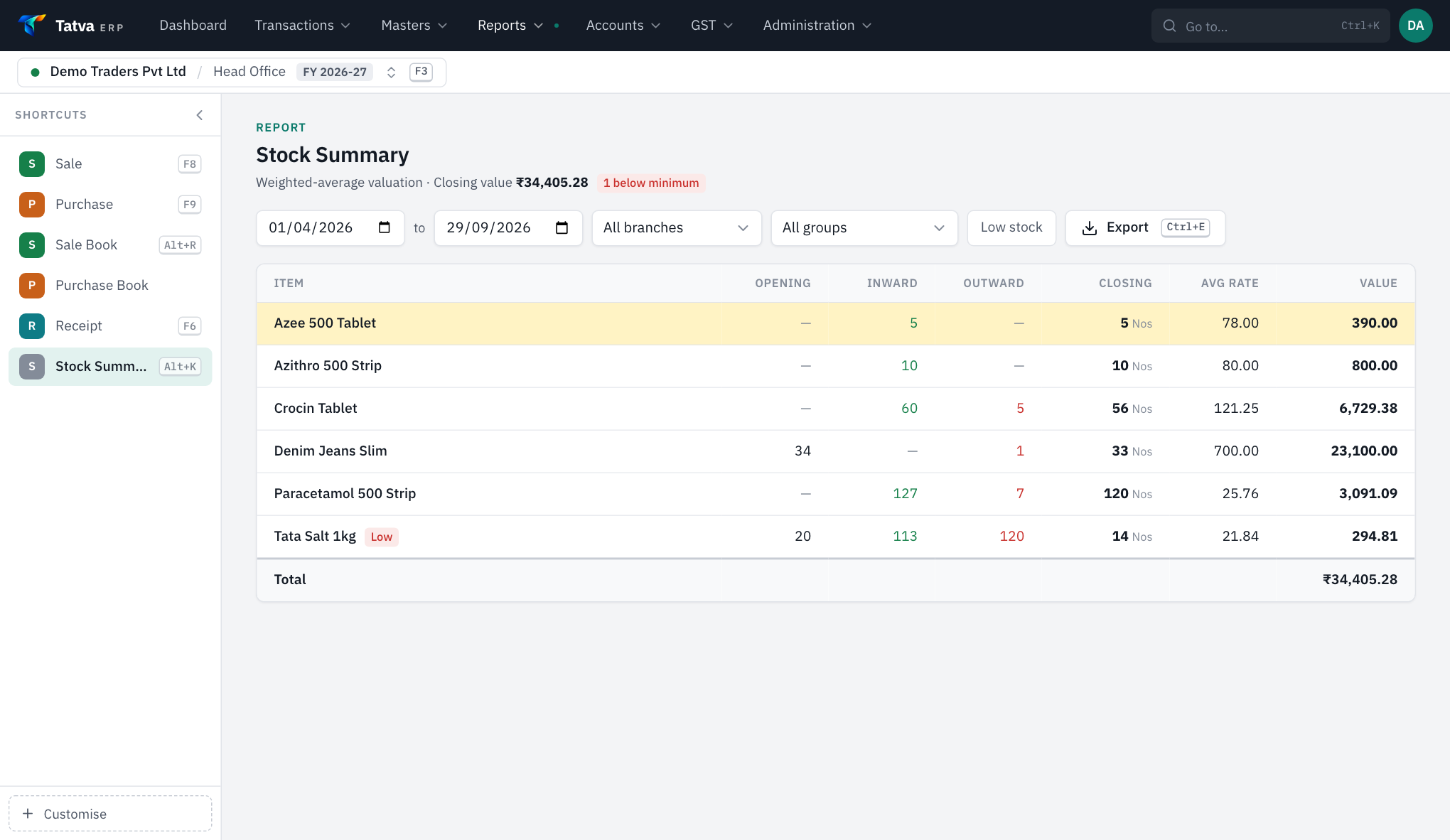
- Batch and expiry
- Earliest expiry or oldest stock first; expired stock blocked; expiry alert days.
- Size grid
- For garments and footwear: each size its own MRP, rates and stock.
- Your word for batch
- Call it Batch, Model, Serial no., IMEI or Lot; expiry can be switched off.
- Strip and tablet
- Pack and loose quantities on one line for medical stores.
- Multiple stores
- Godown and shop as stores, with stock transfer vouchers.
- Stock add, less, expiry
- Adjustments, plus an expiry and breakage store kept out of saleable stock.
- Real cost
- Rate less discounts plus share of freight (and GST if you choose); weighted average for sales.
- Reports
- Stock summary, batch-wise stock, expiring batches, item ledger and history, reorder list.
04Accounting
Real double entry behind every bill.
- Receipt, payment, journal, contra
- Each with its own book; receipts adjusted bill by bill.
- Ledgers and day book
- Ledger statement and day book with drill-down to the voucher.
- Final accounts
- Trial balance, profit and loss in T-format, balance sheet.
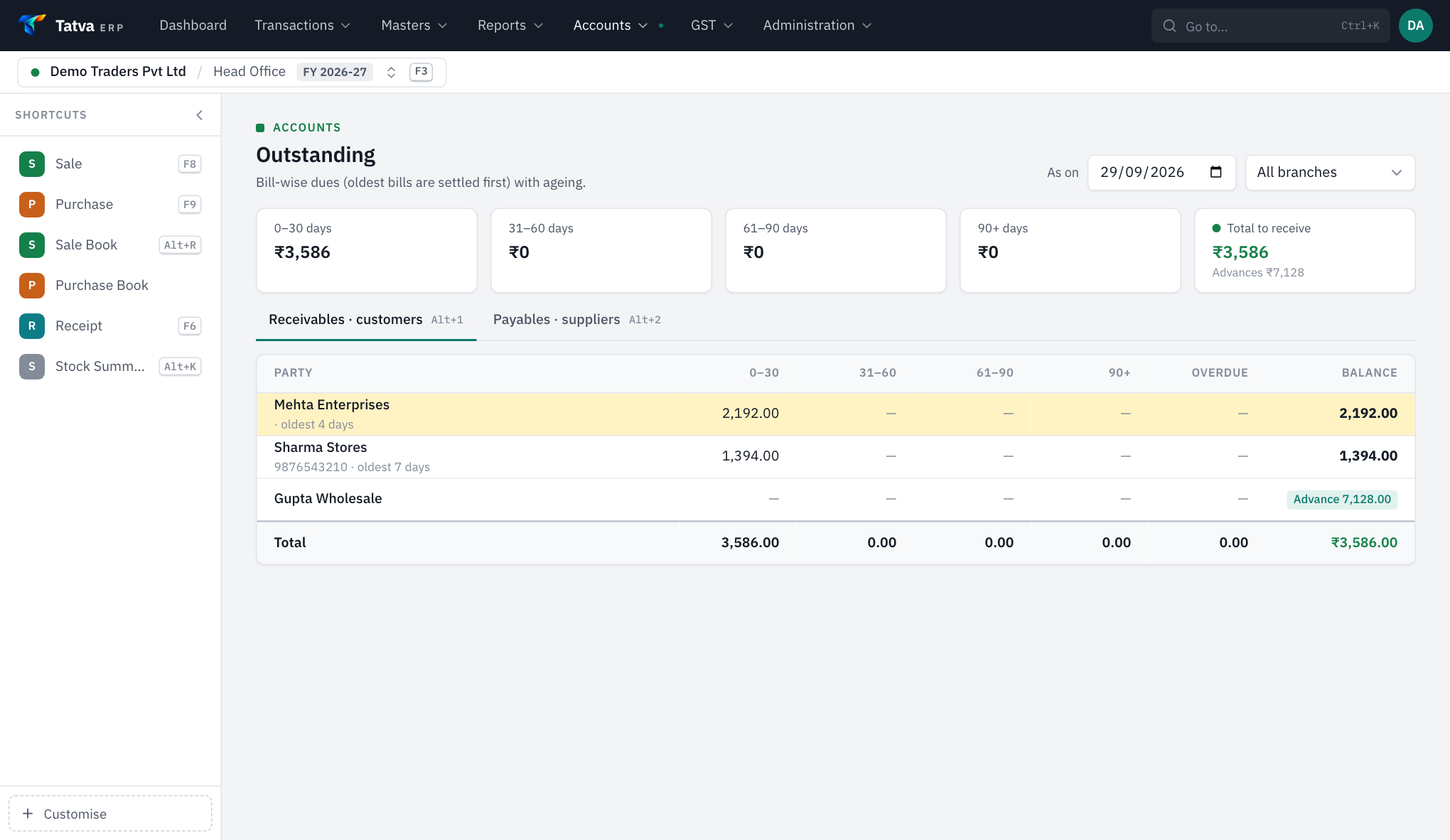
- Outstanding and ageing
- Receivables and payables by bill, first-in-first-out ageing, overdue list on the dashboard.
- Credit limits and price levels
- Warnings at billing time; rate levels A to D per party or series.
- Financial years
- Year-wise books with carry-forward of balances, stock and pending bills, and a lock date.
05GST
Returns made from the bills you already entered.
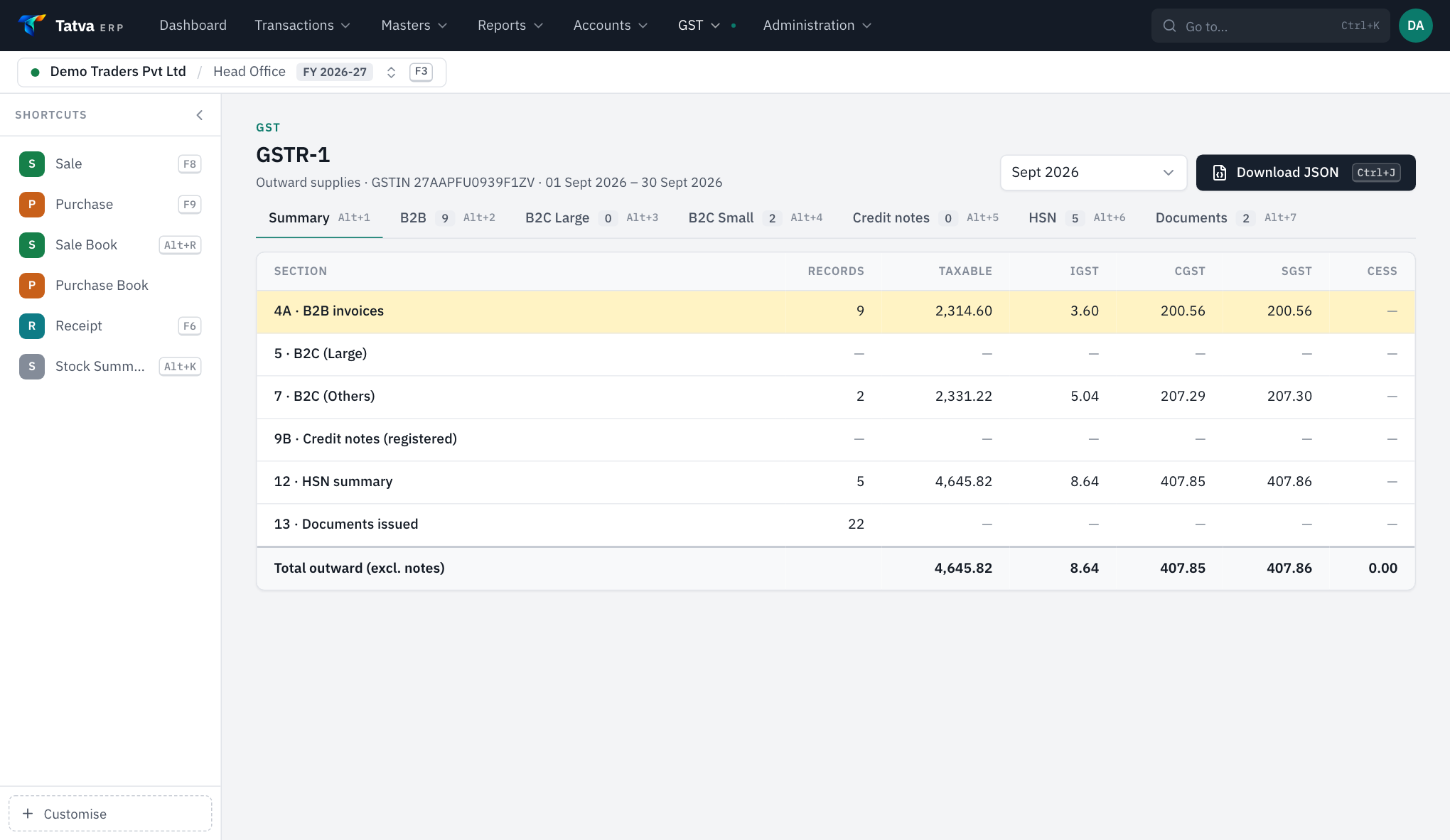
- GSTR-1
- B2B, B2C and HSN sections, downloaded as JSON for the portal, or Excel and CSV for the offline tool.
- GSTR-2
- Purchases with input tax credit.
- GSTR-3B
- With the input tax credit set-off worked out in the legal order.
- HSN summary
- Quantity and value by HSN code.
- Monthly or QRMP
- Choose monthly or quarterly filing per company.
- Local, central or no GST
- Per bill, from the party's state, or set by hand with F6.
06Control & growth
For the owner, the head office and the next branch.
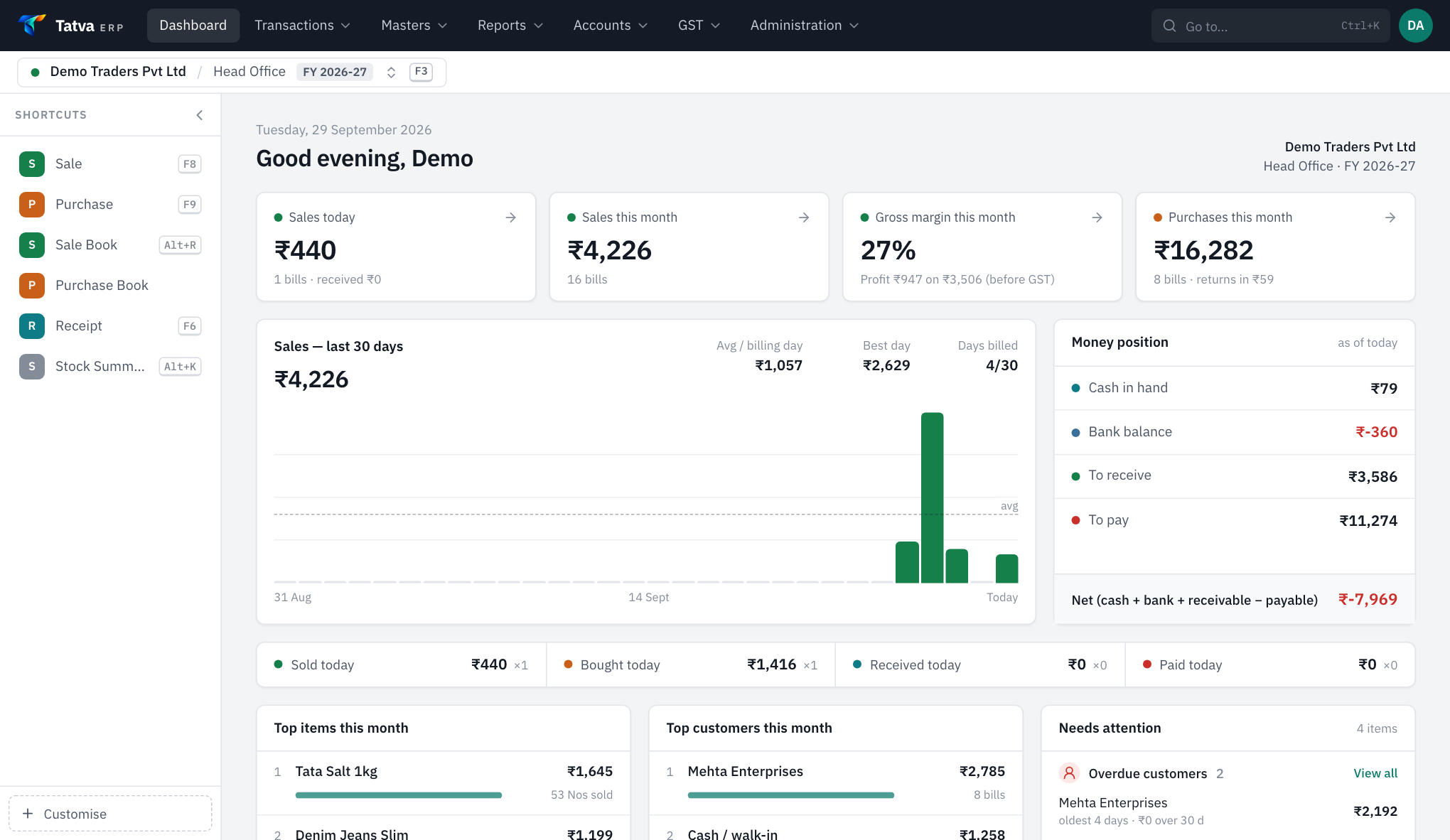
- Multi-company, multi-branch
- A company per GSTIN; branches with their own stock, cash and series; one key to switch.
- Head-office dashboard
- Branches compared side by side.
- Roles and permissions
- Fine-grained rights; branch-limited users see only their branches.
- Audit log
- Who created, changed or deleted what, and when.
- Profit reports
- By bill, party and item; sales by item, party, doctor, month, user and payment mode.
- Tatva Admin app
- Android app for the owner: dashboard, parties, stock, expiry and reports. A paid add-on.
- Online store
- Your customers order from their phones (OTP login, cart, coupons, delivery areas, cash on delivery); accepted orders become bills. An add-on.
- Imports
- Marg ERP items, batches and suppliers; parties and items from any Excel.
Book a demo
See Tatva ERP on your own kind of bill.
A 30-minute call, on your screen. Bring one of your bills; we will make it in Tatva while you watch.